

Arcserve
December 20, 2016
4 min read
The network is the lifeblood of your small business. It allows you to communicate with your employees and your customers. Nobody today would deny the importance of the network, yet it can still be a source of frustration. It's not uncommon for a small company to start with a very basic network setup. This works well for a while until the company begins to grow the network struggles to grow with it. Better planning can help you avoid this scenario. Each network is unique and has many variables. Setting up a network for a small video production company will be a lot different than one configured for a real estate office. Today it's common for a company to run some networking services locally while the cloud provides others. The cloud helps offload some of the storage and traffic over your local network, but it introduces challenges as well. This week I'd like to take a look at some best practices of planning a small business network.

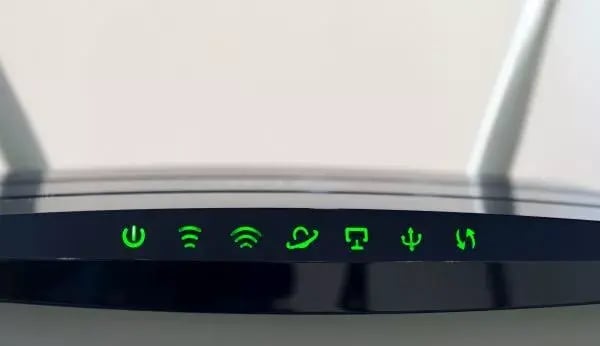 Most businesses today implement both wired and wireless networks. They might use ethernet to attach printers and storage devices to a network that employees access over wireless. When you have a reliable wireless network, you open your employees up to using many different types of devices which can be both a blessing and curse. Ask yourself a few questions about what you value in a network:
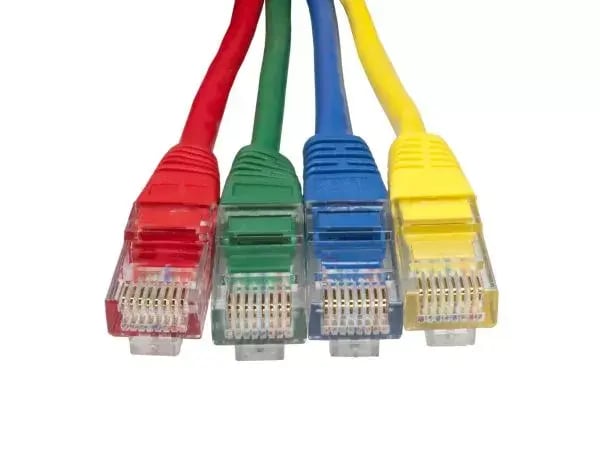 Keep in mind that each of these products are sold stand-alone or as a bundle. For example, you can purchase a Firewall that comes with VPN capabilities such as the popular
Barracuda VPN models. Most of the networks I've built in my career were comprised of mostly Cisco equipment. Many people in IT believe Cisco builds the best gear, but it often comes at a high price. Cisco provides excellent service contracts as well. But they are certainly not the only player in town, so it's wise to shop around. I suggest speaking your ISP and asking them what gear they recommend. At the very least, they should be able to advise you which gear to steer clear of due to support headaches.
Keep in mind that each of these products are sold stand-alone or as a bundle. For example, you can purchase a Firewall that comes with VPN capabilities such as the popular
Barracuda VPN models. Most of the networks I've built in my career were comprised of mostly Cisco equipment. Many people in IT believe Cisco builds the best gear, but it often comes at a high price. Cisco provides excellent service contracts as well. But they are certainly not the only player in town, so it's wise to shop around. I suggest speaking your ISP and asking them what gear they recommend. At the very least, they should be able to advise you which gear to steer clear of due to support headaches.
Assess Your Needs
Last year I helped a small construction firm build out their network for six employees. The owner was surprised when I pulled out a pencil and paper and began asking questions. He expected us to run off to Best Buy to purchase equipment. Maybe I'm old-school, but I like to get a sense of the size and space the network must cover. Having a pencil and paper allows me to create a rough sketch of the office and what we will need before we purchase any equipment. During this planning stage, you should ask yourself a few questions:- How many computers, printers and other peripherals will connect to your network?
- What applications will employees run?
- What type of files will you be sharing and storing?
- Will remote employees need VPN access?
- How much wireless coverage will you need at your location?
- What type of mobile devices will need access to your network?
Wireless vs. Wired
It wasn't long ago that going wireless meant sacrificing network reliability and performance. But they become popular because they were so convenient! Sure, if you have employees who sit at a desk all day, tied to a tower PC and monitor, then a wired network will suit them fine. A wired network is generally faster, most reliable and easier to secure. But it's not convenient and isn't built with laptops and mobile devices in mind.
- If convenience is the primary reason to implement a wireless network.
- Go wired if you value speed and reliability over everything else.
- It's easier to secure a wired network.
- Most businesses today implement both wired and wireless networks.
Hardware
You're finally at that point of purchasing hardware. Most small businesses will have a router that's hooked up to a server. Check with your ISP first to see if they will provide you a router. Many do. You can also purchase your own router, but don't skimp on a consumer model. A company like Cisco makes reputable routers (and other networking equipment) and will be around when you need them. It's impossible to cover all the equipment you might need, but here's a list of the standard equipment that comprises most small networks:- Router - Often provided by your ISP. Used to connect your office to the extranet.
- Server - Servers can provide many services such as DHCP, authentication and storage. They can reside on-prem or in the cloud.
- Firewall - Sometimes built into the Gateway, but standalone models are more advanced. They are used to combat spam, viruses and unauthorized intrusions.
- VPN - This can be a stand-alone device or run as a service on a server. A VPN enables secure remote access for employees traveling or working from home.
- WiFi/AP - Sometimes built into the router or Gateway, but stand-alone APs are more powerful and manageable.
Conclusion
I've covered the basic building blocks of a small business network. You might find that you need less or more equipment than I mentioned, and that's just fine. And if all of this sounds confusing, don't worry. Your MSP or network consultant can guide you through the process. One mistake I've seen while working with smaller businesses is a failure to plan for growth. Last year I worked with a company that decided all they needed was a single cable modem connection to their office. They invested in equipment around the assumption that their business would not outgrow the speeds their cable company could provide. They passed on a dedicated fiber connection and lived to regret their decision six months later when their network became saturated with traffic. Even worse, their service proved to be unreliable. They are in the process of moving over permanently to a fiber connection, but it's been a painful lesson. Someone once told me that a company's network should be assembled with care by a professions in the same fashion a licensed electrician would wire a new home. You wouldn't hire any guy off the street to wire your home in a manner that's not up to code. Networks grow and undergo change, but the foundation needs to be build on solid ground by someone who knows what's she's doing. If you're not currently working with an MSP, your ISP might be able to provide you with a recommendation for someone with the expertise you're after. Good luck!Don't forget to share this post!
