

Arcserve
October 01, 2018
3 min read
According to IBM, the volume of spam emails increased 4x in 2016. They also estimate that over half of all email is now spam, much of which includes malicious attachments and/or phishing links.
Phishing is the attempt to obtain usernames, passwords, credit card number and other sensitive information by posing as a legitimate company or person. Criminals create emails that usually include links to what appears to get a legitimate website asking for personal information. But the website is fake and information you provide can be sold to other criminals.
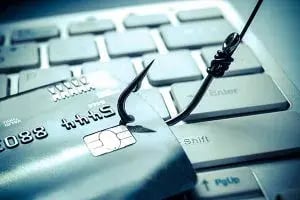 Phishing attacks are not only on the rise, but they are evolving. Phishing attacks have also moved from targeting individuals to focusing more on employees inside companies who may have access to lots of sensitive data. How can you guard your small business against phishing attacks without breaking the bank? Let us look at several best practices.
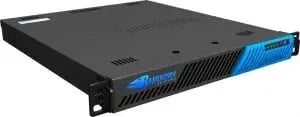 These devices start around $2000 for around 100 which should cover most small businesses. One popular devices that has been around for many years is the
Barracuda Email Security Gateway. This appliance is available to purchase and install on premise, or you can run it in a public cloud from Amazon Web Services or Microsoft Azure.
These devices start around $2000 for around 100 which should cover most small businesses. One popular devices that has been around for many years is the
Barracuda Email Security Gateway. This appliance is available to purchase and install on premise, or you can run it in a public cloud from Amazon Web Services or Microsoft Azure.
Enforce Strong Passwords
Not all phishing attacks are the results of a password breach, but having a strong password policy and enforcing it helps minimize the damage should an attack occur. A strong password policy should include:- Require strong passwords – The goal is to make it difficult for a someone to guess your password. Requiring passwords that include a combination of numbers, uppercase letters and special symbols is a good place to start.
- Require regular password changes – Every 90 or 120 days is reasonable. You don’t want to make users change password so often they write them on Sticky Notes though.
- Require two-factor authentication – Users might complain about this requirement, but it is wise to enforce because it adds another layer of security to each account. Encourage employees to notify IT if they receive an email or text with a code they didn’t request.
Employee Education and Awareness
Some companies skip this step entirely and instead rely on IT departments to catch any phishing threats. But educating your employees can be one of the best forms of protection. Not everyone knows what phishing is nor will they recognize an attack when it happens. For example, helping employees understand that most phishing attack originate with an email and a link to a phishing site. At the very least, each employee should be aware of the following:- Never respond to an email requesting personal information. IT and HR should never ask for passwords, bank accounts, social security number or any other personal information over email. Immediately delete any emails that do.
- Double check all links, and never click on any attachment with an extension you do not recognize. Never click on links with an .exe or that contain odd spellings of popular websites. If you receive an Office document or any other attachment from someone you do not know, delete it immediately.
- Look for misspelled words odd sentence structure. Many phishing emails contain one or more grammar errors. If it does not sound quite right, delete it, or send it to IT to analyze before you click on any links or open any attachments.
Invest in a Spam Filter Appliance
When SPAM continues to get through your email spam filters, it might be worth investing in a SPAM filter appliance. The best appliances provide inbound/outbound filtering and data leak prevention.
Maintain Backups
Ensure that working backups of all company information systems are maintained. Do not wait will disaster strikes to verify your backups. A backup will allow you to quickly recover from an attack. Having a verified backup is especially effective when dealing with ransomware attacks that can encrypt your data and hold it hostage until you pay up. Companies such as StorageCraft offer several backup products based on your environment and company needs. One thing to keep in mind is that maintaining a local backup will usually get you up and running more quickly than relying only on cloud-based products.Conclusion
Even the most technically savvy can be fooled by phishing emails. Do not assume that it cannot happen to your company full of developers or IT staff. Did you know the most popular type of phishing lure is the fake invoice message? Or that Apple IDs are the top target for credential theft emails? Helping your staff understand these helpful details will help you avoid costly security breaches.Don't forget to share this post!
